OpenCode: The Open Source AI Agent Transforming Software Development in 2026
Discover OpenCode, the open-source AI coding agent competing with Claude Code, Cursor, and Copilot. Explore features, architecture, real-world use cases, user experiences, case studies, and expert analysis.
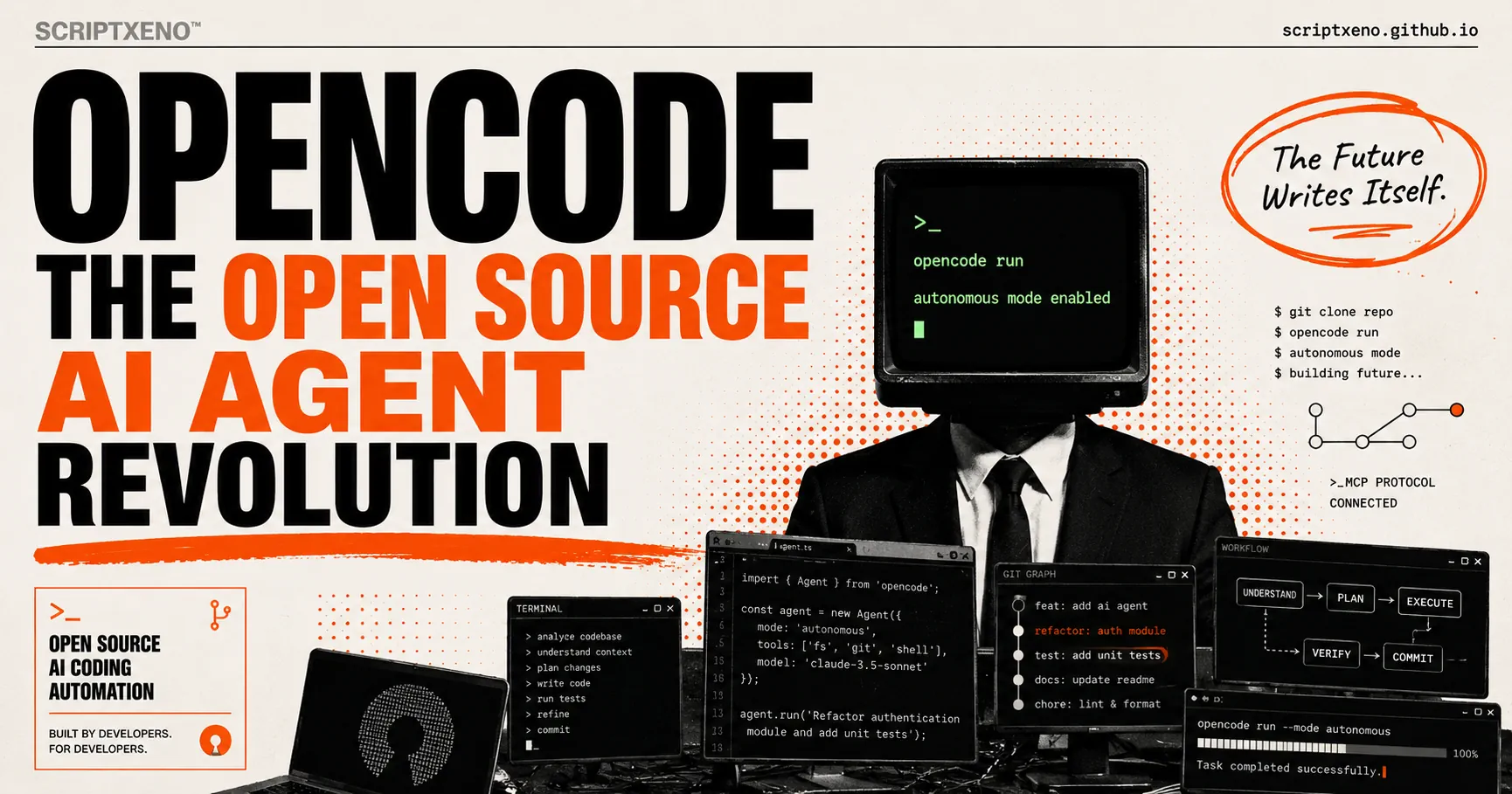
OpenCode: The Open Source AI Agent Transforming Software Development
AI coding assistants have evolved from autocomplete tools into autonomous software agents capable of understanding codebases, executing commands, fixing bugs, writing tests, and managing entire development workflows.
Among the most talked-about tools in this category is OpenCode.
Unlike many commercial AI coding assistants, OpenCode is completely open source, model-agnostic, terminal-first, and designed around developer control rather than vendor lock-in.
Many developers now view OpenCode as one of the strongest open-source alternatives to Claude Code, Cursor Agent, GitHub Copilot Agent, and other proprietary coding agents.
In this comprehensive guide, we’ll explore:
- What OpenCode is
- How OpenCode works
- OpenCode architecture
- Features and capabilities
- Real-world developer experiences
- Case studies
- Comparison with Claude Code, Cursor, and Copilot
- Advantages and limitations
- Future of open-source coding agents
What Is OpenCode?
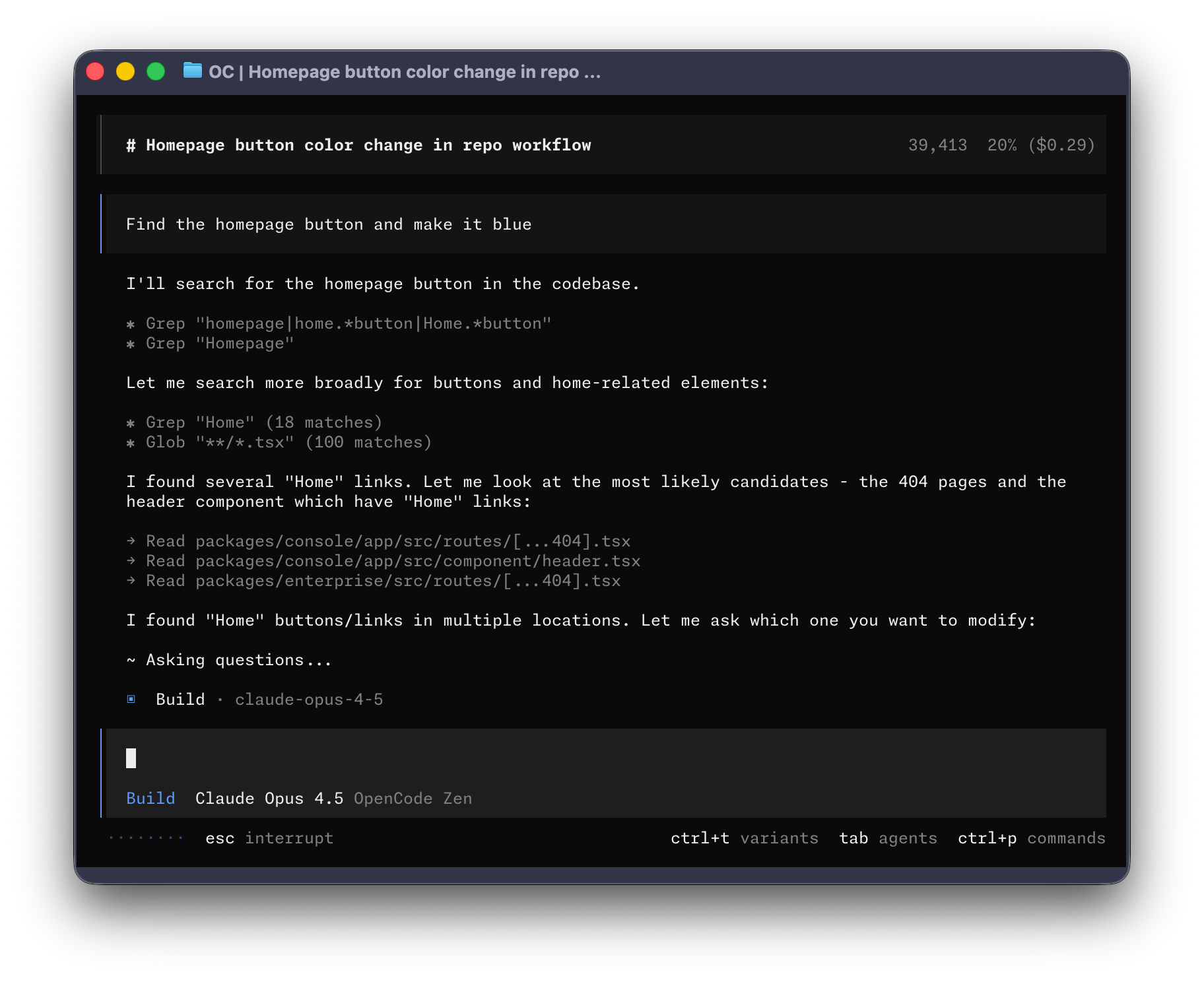
Quick Answer
OpenCode is an open-source AI coding agent that operates directly in the terminal, desktop application, or IDE environment.
Unlike traditional coding assistants that merely suggest code, OpenCode can:
- Analyze repositories
- Modify files
- Execute terminal commands
- Run tests
- Refactor projects
- Review code
- Create pull requests
- Automate development workflows
It functions as an autonomous coding agent rather than a chatbot.
According to the official documentation, OpenCode is designed as a terminal-native AI coding agent with support for multiple AI providers and local models.
Why OpenCode Matters
The AI coding ecosystem is currently dominated by proprietary products:
- Claude Code
- Cursor
- GitHub Copilot Agent
- Devin
- Windsurf
While these tools are powerful, they introduce several concerns:
Vendor Lock-In
Developers become dependent on a single AI provider.
Privacy Risks
Many tools process source code through external services.
Limited Customization
Closed-source products restrict modification.
Rising Costs
Subscription fees can become significant for teams.
OpenCode addresses all four problems by offering:
- Open-source transparency
- Bring-your-own-model architecture
- Local model support
- Complete workflow customization
This philosophy has made OpenCode especially popular among:
- Startups
- Open-source maintainers
- Enterprise engineering teams
- Security-conscious organizations
How OpenCode Works
OpenCode operates through an agentic workflow.
Instead of simply answering prompts, the system performs actions.
A typical workflow looks like:
- Developer describes a task
- Agent analyzes project context
- Agent identifies relevant files
- Agent creates execution plan
- Agent edits code
- Agent runs commands
- Agent validates results
- Agent reports changes
This mirrors how experienced software engineers approach development.
Key Features of OpenCode
1. Terminal-First Experience
OpenCode was built primarily for developers who live in the terminal.
Unlike browser-based AI tools, OpenCode integrates directly into existing workflows.
Benefits include:
- No context switching
- Faster execution
- Native shell access
- Better automation
Many developers consider this OpenCode’s biggest advantage.
2. Multi-Model Support
One of OpenCode’s strongest differentiators is provider flexibility.
Supported providers include:
- OpenAI
- Anthropic
- Google Gemini
- Bedrock
- Ollama
- Local LLMs
- Dozens of additional providers
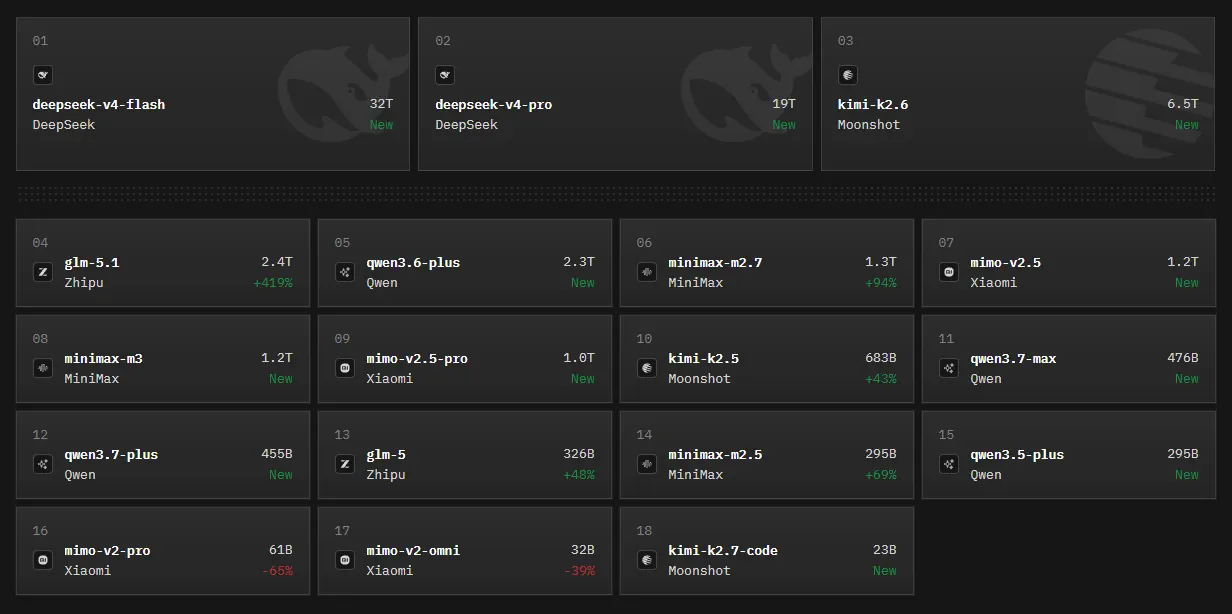
OpenCode supports more than 75 model providers and local deployments. This prevents dependence on a single vendor and allows developers to optimize for cost, performance, or privacy.
3. Specialized Agents
OpenCode supports custom AI agents.
Examples include:
Planning Agent
Analyzes codebases without making modifications.
Refactoring Agent
Focused on architecture improvements.
Testing Agent
Creates and improves automated tests.
Documentation Agent
Maintains project documentation.
Developers can switch agents dynamically during a session.
4. AGENTS.md Project Rules
One of OpenCode’s most powerful features is AGENTS.md.
This file functions similarly to Cursor Rules.
Teams can define:
- Coding standards
- Architecture requirements
- Documentation expectations
- Security guidelines
- Project-specific instructions
The agent automatically follows these rules while working.
5. GitHub Integration
OpenCode can operate directly within GitHub workflows.
Developers can invoke the agent inside:
- Pull requests
- Issues
- CI pipelines
By using commands such as:
/opencode
or
/oc
the agent executes tasks automatically within GitHub Actions environments.
6. Privacy-First Architecture
Privacy is a core design principle.
OpenCode states that it does not store source code or project context on its own infrastructure. Teams can also run local models, which is attractive for organizations handling sensitive code.
OpenCode Architecture
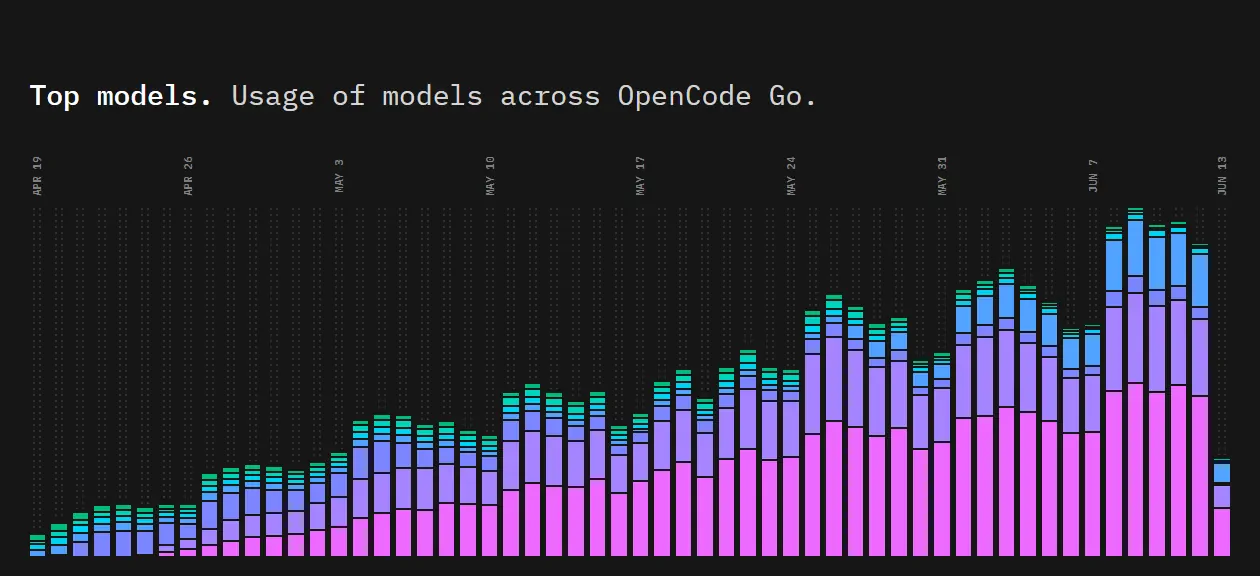
OpenCode follows a client-server architecture.
Major components include:
User Interface Layer
- Terminal UI (TUI)
- Desktop application
- IDE extension
Agent Layer
Responsible for:
- Planning
- Reasoning
- Tool selection
Tool Layer
Allows agents to:
- Read files
- Write files
- Execute commands
- Search codebases
- Interact with GitHub
Model Layer
Connects to:
- Claude
- GPT
- Gemini
- Local models
This modular architecture is one reason many developers prefer OpenCode over monolithic proprietary alternatives.
Real-World OpenCode Use Cases
Startup MVP Development
Small teams use OpenCode to:
- Scaffold projects
- Generate APIs
- Build frontend components
- Create tests
Result:
Faster product launches with fewer engineers.
Legacy Code Refactoring
Large repositories often contain technical debt.
OpenCode helps by:
- Finding dead code
- Refactoring functions
- Improving architecture
- Generating migration plans
Documentation Automation
OpenCode can:
- Generate README files
- Create API documentation
- Update technical documentation
This significantly reduces maintenance overhead.
CI/CD Assistance
Engineering teams use OpenCode to:
- Analyze failed builds
- Suggest fixes
- Generate pull requests
- Update deployment scripts
OpenCode vs Claude Code
| Feature | OpenCode | Claude Code |
|---|---|---|
| Open Source | Yes | No |
| Self Hostable | Yes | No |
| Local Models | Yes | No |
| Vendor Lock-In | No | Yes |
| GitHub Workflow Automation | Yes | Yes |
| Terminal Native | Yes | Yes |
| Custom Agents | Yes | Limited |
| AGENTS.md Rules | Yes | Partial |
| Cost Control | High | Lower |
Winner for Flexibility
OpenCode
Winner for Simplicity
Claude Code
Winner for Privacy
OpenCode
OpenCode vs Cursor
Cursor excels at:
- IDE experience
- Visual workflows
- Fast onboarding
OpenCode excels at:
- Automation
- Terminal workflows
- Agent customization
- Open-source extensibility
Cursor feels like an AI-powered editor.
OpenCode feels like an AI-powered engineer.
OpenCode vs GitHub Copilot Agent
GitHub Copilot Agent integrates deeply with GitHub and Visual Studio Code.
However:
- It remains proprietary
- Customization is limited
- Local model support is absent
OpenCode offers greater control and transparency.
Real Developer Experiences
Across developer communities, several recurring themes emerge.
What Developers Love
Model Freedom
Developers appreciate being able to switch between Claude, GPT, Gemini, and local models without changing tools.
Transparency
Because OpenCode is open source, teams can inspect how the system works.
Terminal Workflow
Power users often prefer terminal-native tools because they align with existing workflows.
Cost Efficiency
Teams can choose cheaper models when appropriate.
Common Criticisms
Learning Curve
OpenCode requires more setup than Cursor or Copilot.
Configuration Complexity
Provider configuration can be intimidating for beginners.
Fewer Visual Features
Terminal-first design may not appeal to all developers.
Case Study 1: Startup Engineering Team
Challenge:
A five-person startup needed faster development cycles without increasing headcount.
Solution:
Implemented OpenCode with Claude and GPT models.
Results:
- Faster feature delivery
- Reduced repetitive coding work
- Improved documentation quality
- Lower AI tooling costs
Case Study 2: Open Source Maintainer
Challenge:
Managing hundreds of community contributions.
Solution:
Used OpenCode for:
- Pull request reviews
- Issue triage
- Documentation generation
Results:
- Faster review cycles
- Better contributor experience
- Reduced maintenance burden
Case Study 3: Security-Focused Organization
Challenge:
Source code could not leave internal infrastructure.
Solution:
Deployed OpenCode with local models.
Results:
- AI-assisted development
- Full data control
- Regulatory compliance
This is a major use case where proprietary tools often struggle.
Why OpenCode Is Growing So Fast
Several trends favor OpenCode:
Rise of Agentic Development
Developers increasingly want autonomous systems rather than autocomplete.
Open Source Momentum
Many teams prefer transparent infrastructure.
Multi-Model Ecosystems
Organizations don’t want dependence on a single AI vendor.
Enterprise Privacy Concerns
Self-hosted AI is becoming more important.
These trends align directly with OpenCode’s philosophy and feature set.
Limitations of OpenCode
OpenCode is impressive but not perfect.
Current limitations include:
- More technical setup
- Smaller ecosystem than Copilot
- Fewer beginner-friendly workflows
- Rapidly evolving feature set
For experienced developers, these trade-offs are usually acceptable.
For newcomers, Cursor may provide a smoother experience.
Future of OpenCode
The future appears promising.
Key developments likely include:
- Better IDE integrations
- More specialized agents
- Expanded MCP ecosystem
- Stronger enterprise adoption
- Improved local model workflows
As AI agents become central to software development, OpenCode is positioned as one of the most important open-source alternatives available.
Final Verdict
OpenCode represents a significant shift in AI-assisted development.
Instead of locking developers into a proprietary ecosystem, it offers:
- Open-source transparency
- Multi-model flexibility
- Privacy-first architecture
- Terminal-native workflows
- Powerful autonomous agents
For developers seeking maximum control, customization, and long-term flexibility, OpenCode is currently one of the strongest open-source AI coding agents available.
While tools like Claude Code, Cursor, and GitHub Copilot may offer more polished onboarding experiences, OpenCode provides something increasingly valuable in the AI era:
Freedom.
Frequently Asked Questions
Is OpenCode free?
Yes. OpenCode is open source. Model usage costs depend on the provider you connect.
Can OpenCode run local models?
Yes. OpenCode supports local model providers such as Ollama.
Is OpenCode better than Claude Code?
It depends. OpenCode offers more flexibility and privacy, while Claude Code offers a simpler experience.
Does OpenCode work with GitHub?
Yes. OpenCode integrates with GitHub workflows, issues, pull requests, and automation pipelines.
Who should use OpenCode?
OpenCode is ideal for developers, startups, open-source maintainers, and organizations seeking AI-assisted coding without vendor lock-in.
What is OpenCode?
OpenCode is an open-source AI coding agent that helps developers write, edit, test, refactor, and manage code using natural language instructions. Unlike traditional AI coding assistants that only suggest code, OpenCode can analyze entire codebases, execute terminal commands, automate workflows, and complete complex software development tasks autonomously.
Is OpenCode Better Than Cursor?
OpenCode and Cursor serve different types of developers. Cursor offers a polished IDE experience with strong visual interfaces and beginner-friendly workflows. OpenCode focuses on terminal-native development, automation, customization, and open-source flexibility. Developers who prefer control, self-hosting, and advanced agent workflows often choose OpenCode, while developers seeking a streamlined editor experience may prefer Cursor.
Is OpenCode Better Than Claude Code?
OpenCode provides greater flexibility because it supports multiple AI providers, local models, and extensive customization. Claude Code offers a simpler setup and a highly optimized experience with Anthropic’s models. OpenCode is generally better for developers who want control and vendor independence, while Claude Code is often preferred by those seeking convenience and ease of use.
Is OpenCode Free?
Yes. OpenCode is completely open source and free to use. However, users may still incur costs when connecting commercial AI models such as Claude, GPT, or Gemini through their respective APIs. Developers can reduce costs by using local models or open-source alternatives.
Can OpenCode Run Local Models?
Yes. OpenCode supports local AI models through providers such as Ollama. This allows developers to run AI coding workflows on their own hardware without sending source code to third-party cloud services, making it a popular choice for privacy-focused teams.
How Does OpenCode Work?
OpenCode works by combining large language models with software development tools. When a developer provides a task, OpenCode analyzes the project, identifies relevant files, generates a plan, modifies code, runs commands, executes tests, and validates results. This agent-based workflow enables OpenCode to perform many tasks that traditionally require manual engineering effort.
What Is AGENTS.md?
AGENTS.md is a configuration file used by OpenCode to define project-specific rules and instructions. It allows teams to specify coding standards, architectural guidelines, documentation requirements, security policies, and workflow preferences. OpenCode automatically follows these instructions while working on a project.
Which AI Models Does OpenCode Support?
OpenCode supports a wide range of AI models from multiple providers. Supported platforms include Anthropic Claude, OpenAI GPT models, Google Gemini, AWS Bedrock, Ollama, and numerous open-source models. This multi-model approach gives developers flexibility to choose the best model for their workflow.
Can OpenCode Use Ollama?
Yes. OpenCode integrates directly with Ollama, allowing developers to run local AI models on their own machines. This setup provides greater privacy, lower operating costs, and reduced dependence on cloud-based AI providers.
Is OpenCode Open Source?
Yes. OpenCode is fully open source, which means developers can inspect the source code, contribute improvements, customize functionality, and self-host the platform. This transparency is one of OpenCode’s biggest advantages compared to proprietary AI coding assistants.
Should Developers Use OpenCode?
Developers should consider OpenCode if they want an open-source AI coding agent that offers flexibility, privacy, and support for multiple AI providers. It is particularly valuable for experienced developers, startups, open-source maintainers, and organizations that want to avoid vendor lock-in while automating software development workflows.
What Are AI Coding Agents?
AI coding agents are autonomous software systems that use artificial intelligence to perform programming tasks. Unlike traditional code completion tools, coding agents can understand project context, modify files, run tests, debug applications, execute commands, and complete multi-step development workflows with minimal human intervention.
How Do Autonomous Coding Agents Work?
Autonomous coding agents combine large language models, planning systems, memory, and software tools to perform complex tasks. They analyze objectives, create execution plans, interact with codebases, use development tools, evaluate results, and iterate until a task is completed. This enables them to function as virtual software engineering assistants capable of handling entire workflows rather than individual coding suggestions.